
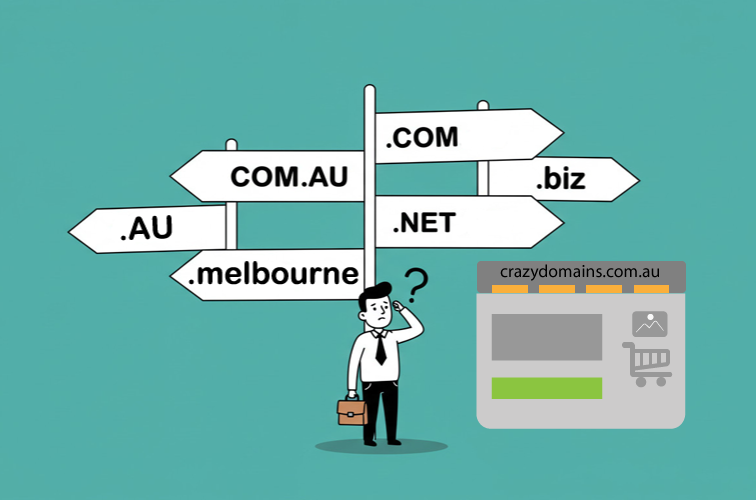
Your domain name is the digital front door to your business and or personal brand. It’s often the first impression you make, so getting it right is crucial. Many Aussies rush this step, only to face problems later. To help you secure the perfect online address, we’ve outlined the 5 common mistakes to avoid when buying a domain name. Making a smart choice from the start saves you from future headaches involving branding, marketing, and search engine visibility.
Mistake #1: Choosing a Name That’s Hard to Spell or Say
Imagine telling someone your website address over the phone or in a noisy room. If you have to spell it out every time, that may be a problem. This is a classic domain purchasing pitfall. The best domain names are intuitive and pass the “radio test” with flying colours. If a name is easy to say, it’s usually easy to remember and type. Confusing spelling is one of the quickest ways to lose potential visitors who end up on an error page or, even worse, a competitor’s website.
- Avoid slang and altered spellings like using ‘u’ instead of ‘you’
- Steer clear of using numbers as digits, such as ‘4’ for ‘for’
- Be cautious with hyphens as people often forget them
- Double letters can be a source of typing errors
Mistake #2: Forgetting About SEO and Keywords
While stuffing your domain with keywords is an outdated practice, ignoring search engine optimization (SEO) entirely is also a critical error. A good domain name should be relevant to your niche without being clunky. Think about a name that is unique and brandable first and foremost. Search engines are smart enough to understand your website’s topic from its content. A memorable brand name will earn more trust and direct traffic over time than a generic, keyword-heavy domain.
Why Brandable is Better
A brandable name like ‘Zynga’ or ‘Google’ is distinctive and has no predefined meaning. This allows you to build a brand around it. These types of names are easier to trademark and create a lasting identity for. A major domain name selection mistake is choosing something so generic that it blends in with everyone else.
Why Brandable Name with a Touch of SEO Keywords is Also an Option
As we’ve said, brandable domain name is better than confusing or generic terms, having said this, if you’re a small business owner who needs free website traffic, then, what you should consider is both “branding AND keywords”. Basic example: ABCaitutorials.com.au not only would focus on branding, it would also help with Google rankings for “AI Tutorials”.
SEO Tip: content is king. No amount of keywords within the domain can make any difference if the website lacks original and useful content.
Mistake #3: Picking the Wrong Domain Extension (TLD)
The letters after the dot in your domain, like .com.au, .com, .org, or .net, are called Top-Level Domains (TLDs). Choosing the wrong one can make your site seem less trustworthy. For most businesses and brands aiming for a global audience, .com is still the gold standard. For Australian based businesses .com.au is a must. It’s the TLD that users instinctively type into their browser. Not securing the appropriate domain extension is a frequent domain name beginner mistake.
- The .com.au extension is the most recognised and trusted TLD in Australia
- The .com extension is the most recognised and trusted TLD worldwide
- Country-code TLDs like .co.uk are excellent for targeting a specific country
- Niche TLDs such as .ai or .io can work for tech start-ups but may confuse a general audience
- Be wary of TLDs that are often associated with spammy websites
- Crazy Domains as domain name registrar also offers “Premium Domain Names” such as .melbourne
Mistake #4: Not Checking the Domain’s History
Buying a domain name isn’t always like buying a new product; sometimes you’re getting something secondhand. A previously owned domain can come with baggage. Its former owner might have used it for activities that got it penalised by search engines, blacklisted or blocked by firewalls. Jumping on what seems like a great available name without checking its past history is one of the more serious errors you can make.
How to Check a Domain’s Past
You can use free tools to investigate a domain’s history. The Wayback Machine (Archive.org) can show you what the website looked like in the past. You can also use SEO tools to check its backlink profile for toxic or spammy links. A clean history is essential for a fresh start.
SEO Tip: always make certain that you search Google with advanced search queries like this: site:example.com.au (or use the double quote trick like this: “example.com.au”) to see what other websites may have information about a particular domain you want to register.
Mistake #5: Ignoring Trademarks and Social Media Handles
This is also a common mistake that can lead to legal issues and major rebranding costs. Before you buy a domain name, you must check if another business is already using that name, especially if they have a registered trademark. Infringing on a trademark can result in you having to give up the domain and potentially pay damages. It’s a costly and entirely avoidable domain buying error. You can begin here: ABN Lookup Tool.
Secure Your Brand Everywhere
Your domain is just one piece of your online identity. Your brand should be consistent across all platforms. Before you finalise the purchase of your domain, check if the corresponding username is available on major social media sites like Instagram, Facebook, X, and TikTok. Having a unified brand name makes it much easier for your audience to find and connect with you.
Additional Considerations Before Registering Your Domain
We’re living in a global world, once you are happy with the domain name you want to register, make sure to check the domain name using other extensions. For example: ABCaitutorials.com.au you should check ABCaitutorials.com to see if there is already a domain registered with that name. Or check ABCaitutorials.co.uk to see if its registered. Although not required. When/If available you should secure other domain extensions for protecting your brand.
What to Do After Buying Your Domain
Once you’ve avoided these common mistakes and purchased your perfect domain, your work isn’t quite done. A few simple steps will protect your new asset.
- Turn on auto-renewal with your domain registrar to prevent accidental expiration
- Turn on “Domain Lock” so others can’t do funny things with it
- Add domain privacy protection to shield your personal contact information from public view
- Connect your domain to your web hosting provider to start building your site
- Create Social Media Profiles using your Brand or even Domain Name
- Set up a professional email address using your new domain for better credibility
Now that you’re ready and well informed, check our review for Crazy Domains Domains